


If you’re a defense contractor working with the Department of Defense (DoD), you’ve likely come across the Supplier Performance Risk System (SPRS). Submitting your NIST SP 800-171 self-assessment score to SPRS is a mandatory requirement for compliance and eligibility to compete for DoD contracts. The submission is done through the Procurement Integrated Enterprise Environment (PIEE) portal.
In this guide, we’ll walk you through the process of posting your SPRS score in PIEE so you can stay compliant and avoid delays in your contract work.
What is SPRS?
SPRS is the DoD’s centralized database used to collect and manage supplier performance information, including cybersecurity self-assessment scores. Defense contractors must upload their NIST 800-171 self-assessment scores to SPRS in order to meet contractual obligations outlined in DFARS 252.204-7019/7020.
What You Need Before Submitting
Before posting to SPRS, make sure you have the following ready:
- Active CAGE Code (Commercial and Government Entity code). This links your submission to your organization.
- PIEE Account with the appropriate role (usually the SPRS Cyber Vendor User role).
- NIST 800-171 Self-Assessment Score – calculated using the DoD scoring methodology.
- System Security Plan (SSP) – not submitted directly, but required in case of audit.
- Date of Next Assessment – usually within 3 years unless specified otherwise.
Step-by-Step: How to Submit SPRS Score in PIEE
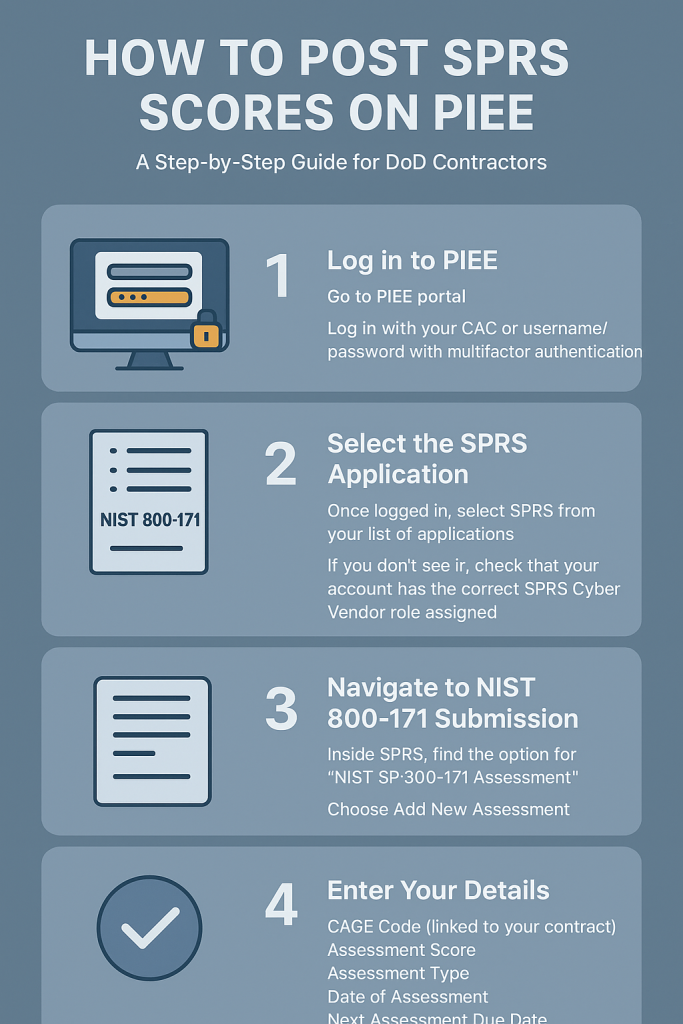
Step 1: Log in to PIEE
- Go to PIEE portal.
- Log in with your CAC (Common Access Card) or username/password with multifactor authentication.
Step 2: Select the SPRS Application
- Once logged in, select SPRS from your list of applications.
- If you don’t see it, check that your account has the correct SPRS Cyber Vendor role assigned.
Step 3: Navigate to NIST 800-171 Submission
- Inside SPRS, find the option for “NIST SP 800-171 Assessment”.
- Choose Add New Assessment.
Step 4: Enter Your Details
You’ll need to provide the following information:
- CAGE Code (linked to your contract).
- Assessment Score (from the NIST 800-171 DoD scoring methodology).
- Assessment Type (Basic, Medium, or High). Most contractors start with a Basic self-assessment.
- Date of Assessment (the day you performed your review).
- Next Assessment Due Date (typically 3 years from the date of submission).
Step 5: Review and Submit
- Double-check all the information entered.
- Click Submit to post your score to SPRS.
After Submission
- Your score will be stored in SPRS and made available to DoD contracting officers.
- If required, be prepared to provide additional documentation, including your System Security Plan (SSP).
- You may be contacted for a Medium or High assessment by a DoD assessor or C3PAO (Certified Third-Party Assessment Organization).
Common Issues & Tips
- Account Access Problems – Make sure your PIEE profile includes the SPRS Cyber Vendor role. If not, request role approval from your company administrator.
- Multiple CAGE Codes – If your business operates under more than one CAGE, submit scores separately for each.
- Accuracy Matters – Ensure your score and dates are correct. Incorrect submissions can delay contract awards.
Why This Matters
Submitting your SPRS score is not just a formality—it’s a contractual requirement. Failing to upload your assessment in SPRS could result in being ineligible for DoD contracts. By staying proactive and compliant, you maintain your eligibility and build trust with the DoD as a reliable partner.
Expert Tip: Consider running a self-assessment tool, use www.csatool.com or working with a CMMC consultant (Softchoice Solutions) to ensure your score accurately reflects your cybersecurity posture.